Symmetric Encryption - Studio APIs
You can produce the encrypted version of any Signzy API in 3 steps.
Encryption type : Symmetric Key AES256 CBC
Step 1: Choose the API you want to encrypt
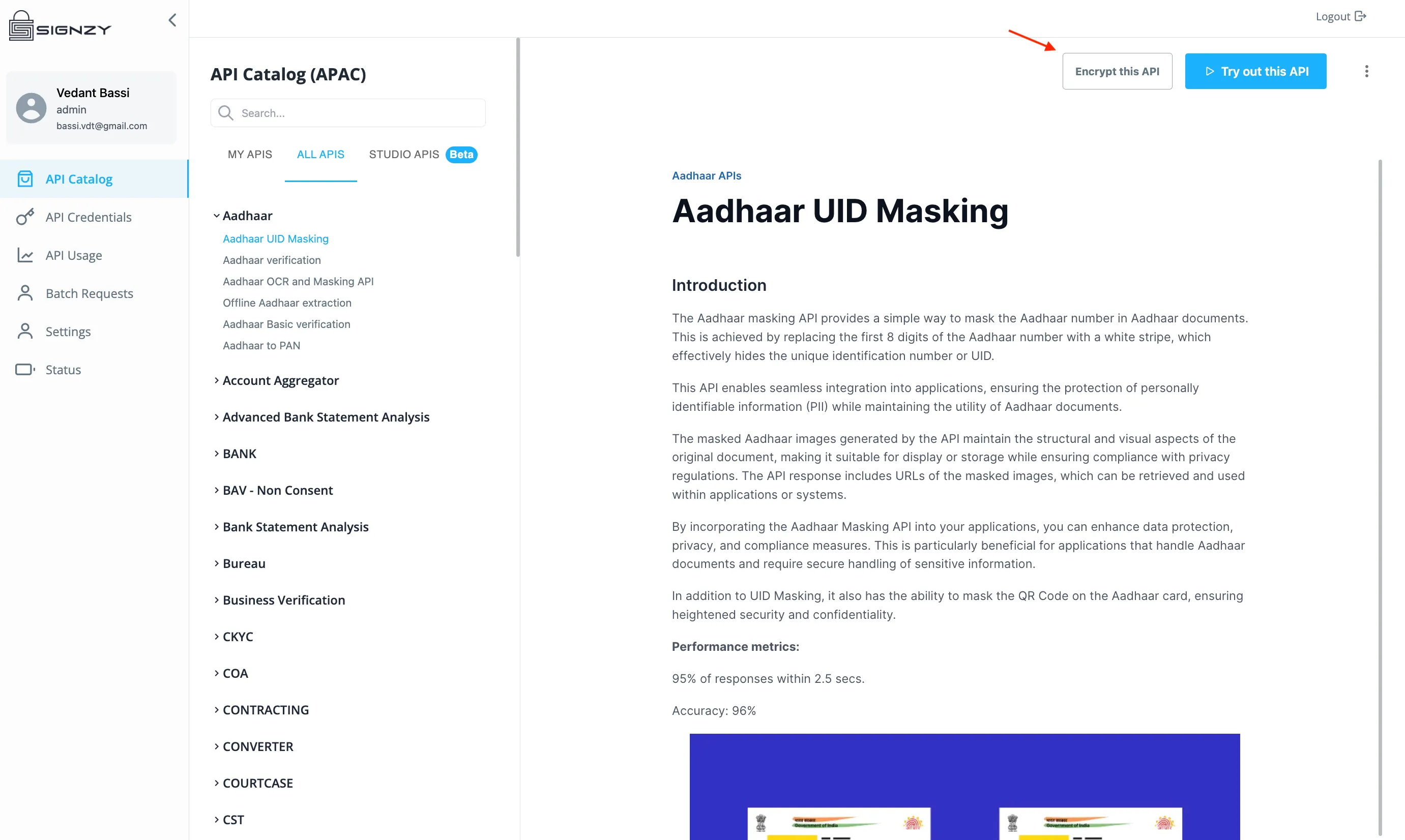
Open the API from the catalog on the Signzy API Portal (portal.signzy.app)
You should see a button called "Encrypt this API"
Once you click on the button a box opens up which asks you for an encryption key.
This key has to have a length of 32 characters and can contain UTF-8 characters of your choice, this is the symmetric key we will be using to decrypt the request that you send and to encrypt the response from our side.
Please take a note of this key because you will have to use to encrypt and decrypt the request and response respectively.
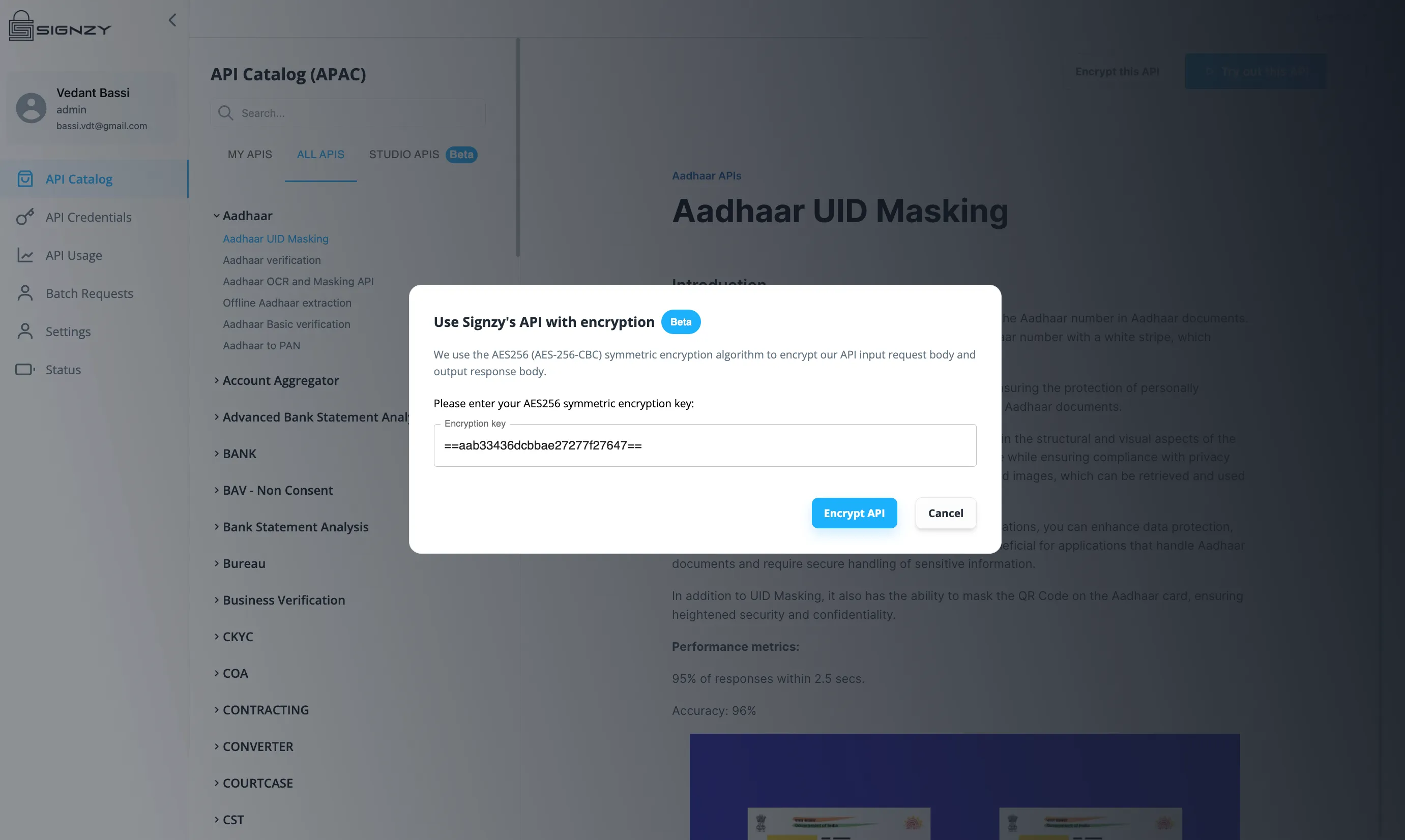
Step 3: Click on "Encrypt API" button and get the encrypted cURL for your API
This is the final step in the process.
Once you click on encrypt API, our systems will generate an encrypted version for the same API which accepts exactly the same input body and produces exactly the same output data but in an encrypted format.
The new input and output is wrapped in an object as shown below, the new API will accept the encrypted input as a string and produce the encrypted output as a string as well.
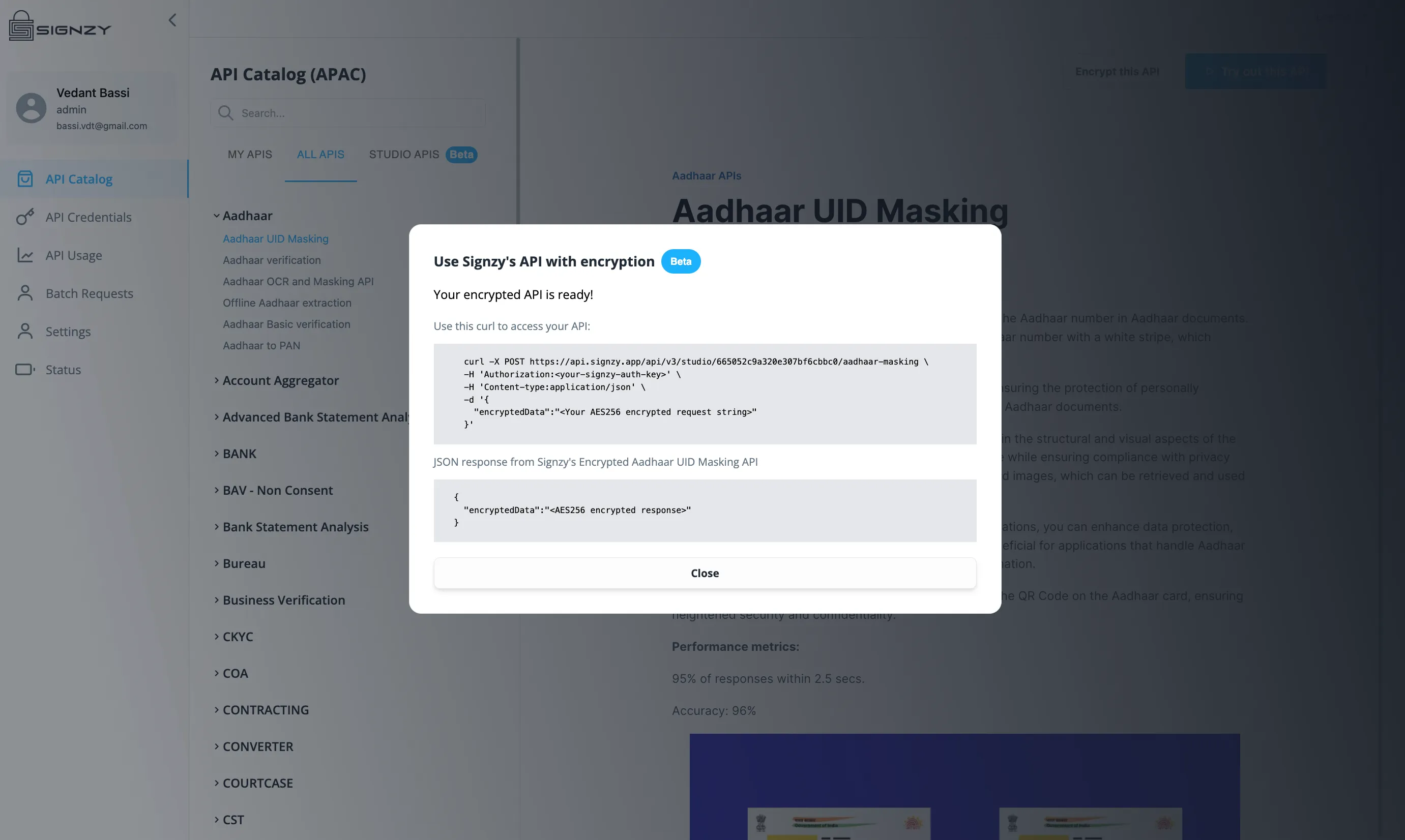
Sample Encrypted API Curl
  curl -X POST https://api.signzy.app/api/v3/studio/<YOUR-STUDIO-ID>/<YOUR-API> \
  -H 'Authorization:<your-signzy-auth-key>' \
  -H 'Content-type:application/json' \
  -d '{
    "encryptedData":"<Your AES256 encrypted request string>"
  }'
Review Docs for the new Encrypted API
You can open the Studio API tab under the API Catalog and check your new encrypted API docs here.
You will get the production curl and this will work with the same API Keys that you already have in your account which you can also use to access to base unencrypted version of the API as well.
Here you will also get sample code snippets for encryption the request body and decrypting the response body.
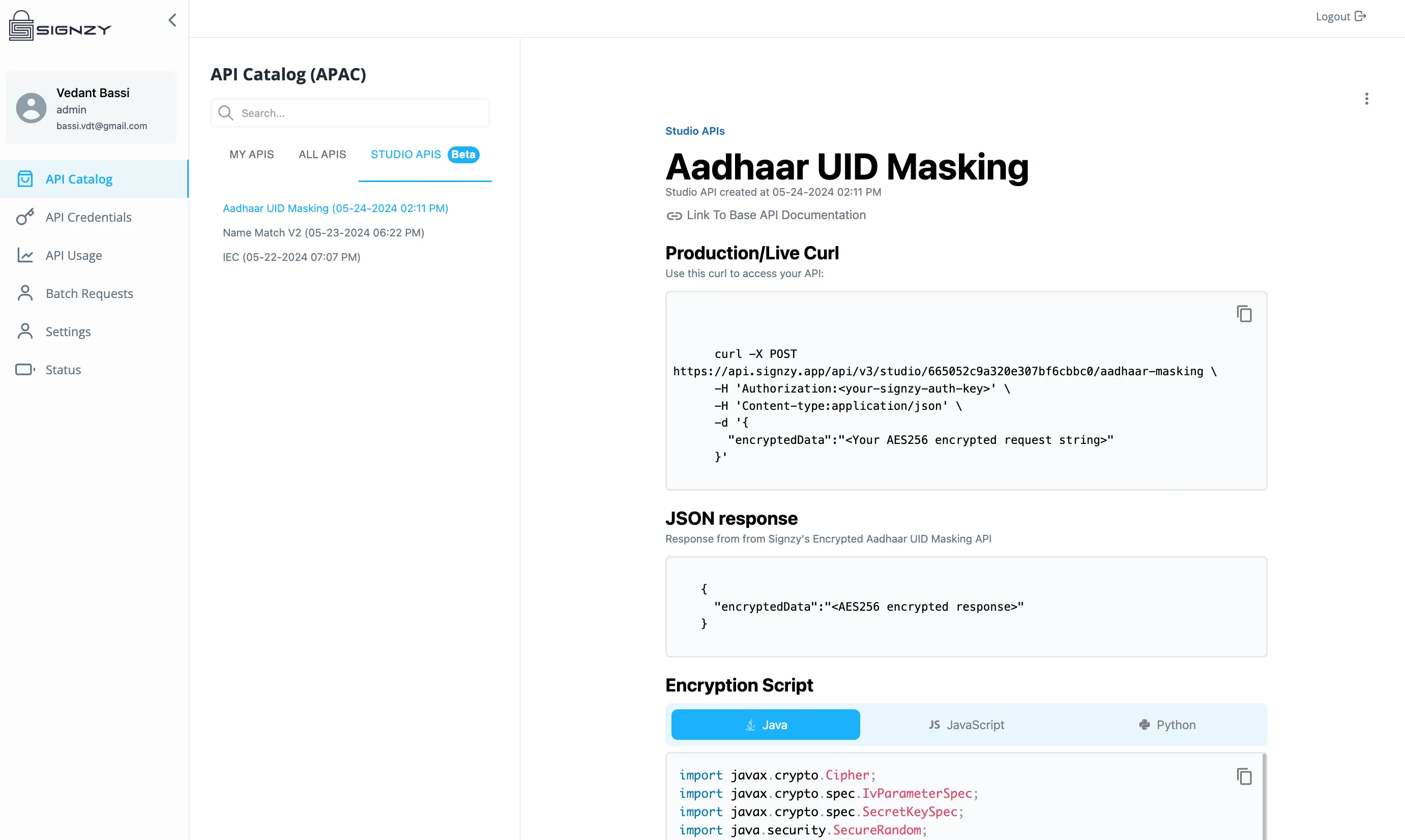
Encryption Code Snippet
const crypto = require('crypto');

// Function to pad or truncate the key to 32 bytes
function getKey(key) {
    return crypto.createHash('sha256').update(String(key)).digest().slice(0, 32);
}

// Function to encrypt a message
function encrypt(text, key) {
    // Generate an initialization vector
    const iv = crypto.randomBytes(16);

    // Create a cipher using the key and iv
    const cipher = crypto.createCipheriv('aes-256-cbc', getKey(key), iv);

    // Encrypt the message
    let encrypted = cipher.update(text, 'utf8', 'hex');
    encrypted += cipher.final('hex');

    // Return the iv and encrypted message concatenated together
    return iv.toString('hex') + ':' + encrypted;
}


// Example usage
const key = '<YOUR-KEY-OF-LENGTH-32-CHARACTERS>';
const message = '{"input":"sample"}';

const encryptedMessage = encrypt(message, key);
console.log('Encrypted:', encryptedMessage);
Decryption Code Snippet
const crypto = require('crypto');

// Function to pad or truncate the key to 32 bytes
function getKey(key) {
    return crypto.createHash('sha256').update(String(key)).digest().slice(0, 32);
}

// Function to decrypt a message
function decrypt(text, key) {
    // Split the iv and encrypted message
    const textParts = text.split(':');
    const iv = Buffer.from(textParts.shift(), 'hex');
    const encryptedText = textParts.join(':');

    // Create a decipher using the key and iv
    const decipher = crypto.createDecipheriv('aes-256-cbc', getKey(key), iv);

    // Decrypt the message
    let decrypted = decipher.update(encryptedText, 'hex', 'utf8');
    decrypted += decipher.final('utf8');

    return decrypted;
}


// Example usage
const key = '<YOUR-KEY-OF-LENGTH-32-CHARACTERS>';

const encryptedMessage = '<YOUR-ENCRYPTED-RESPONSE-BODY>'

const decryptedMessage = decrypt(encryptedMessage, key);
console.log('Decrypted:', decryptedMessage);
The encryption plugin in a paid feature and is metered and charged per use (per API call), additionally the encryption plugin adds around ~100 ms to the total response time of the base API.
Encryption plugin is only avaliable for v3 gateway APIs
Please reach out to [email protected] for any further questions.