Asymmetric Encryption - Studio APIs
Asymmetric Encryption for Studio APIs
Signzy Studio APIs support RSA-OAEP-256 (RSA 2048, SHA-256) encryption for secure data transmission. You can encrypt any API request in just three steps.
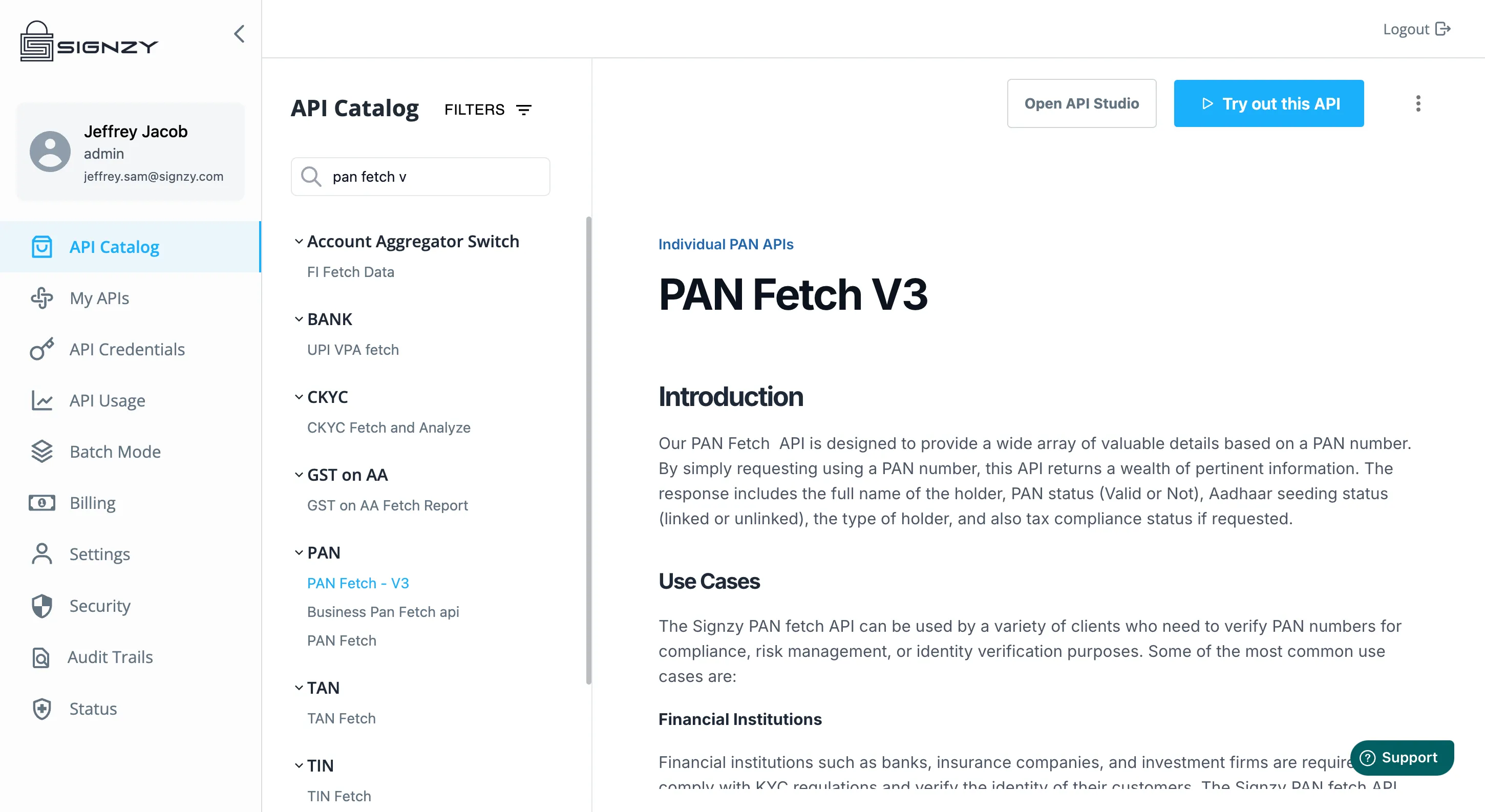
Step 1: Choose the API you want to encrypt
Navigate to the API you require on “My APIs” page on the Signzy API Portal and click Open API Studio.
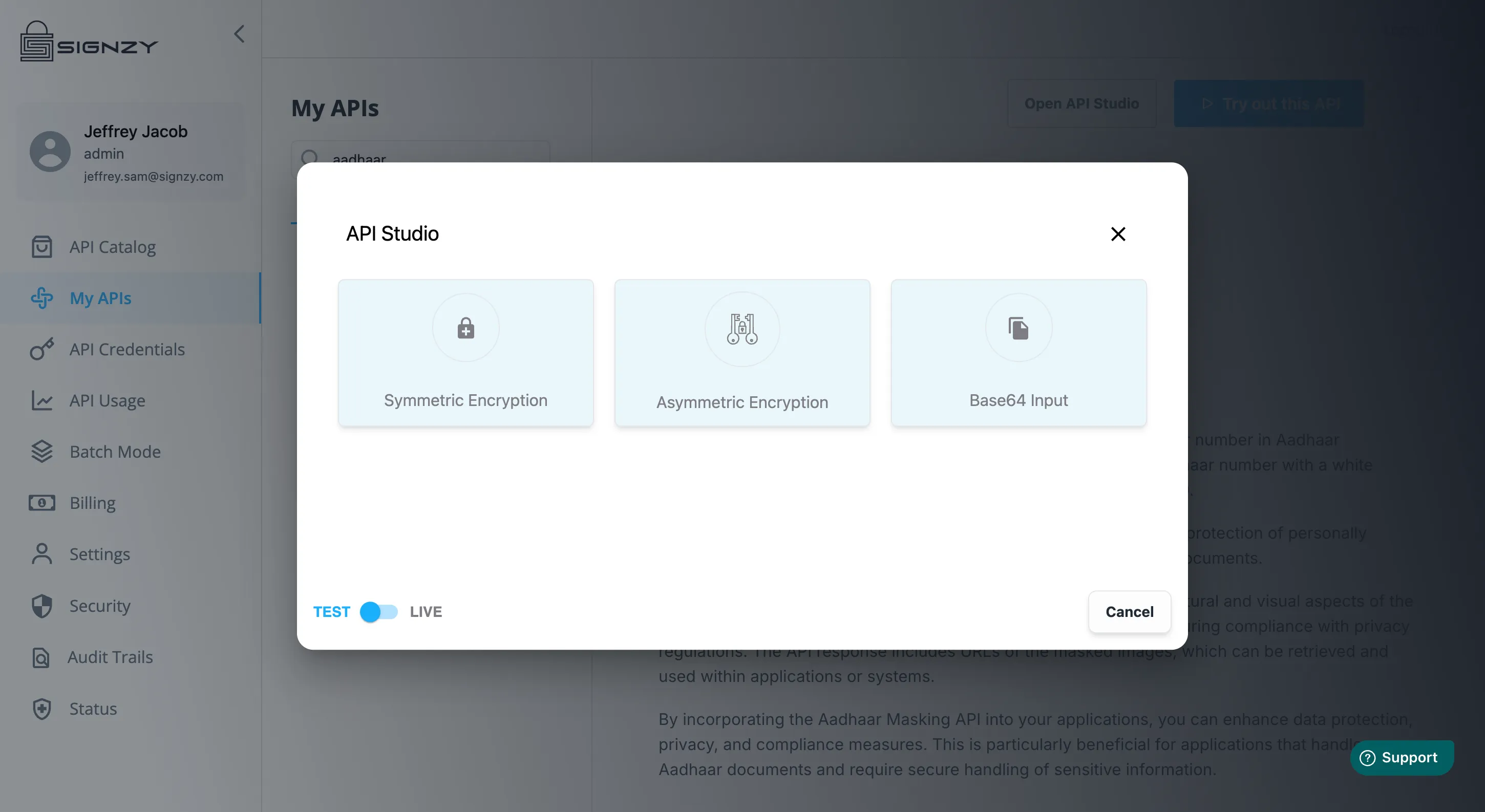
Step 2: Choose Asymmetric Encryption
You can click here to download Signzy's Public Key anytime.
Step 3: Encrypt your API Request
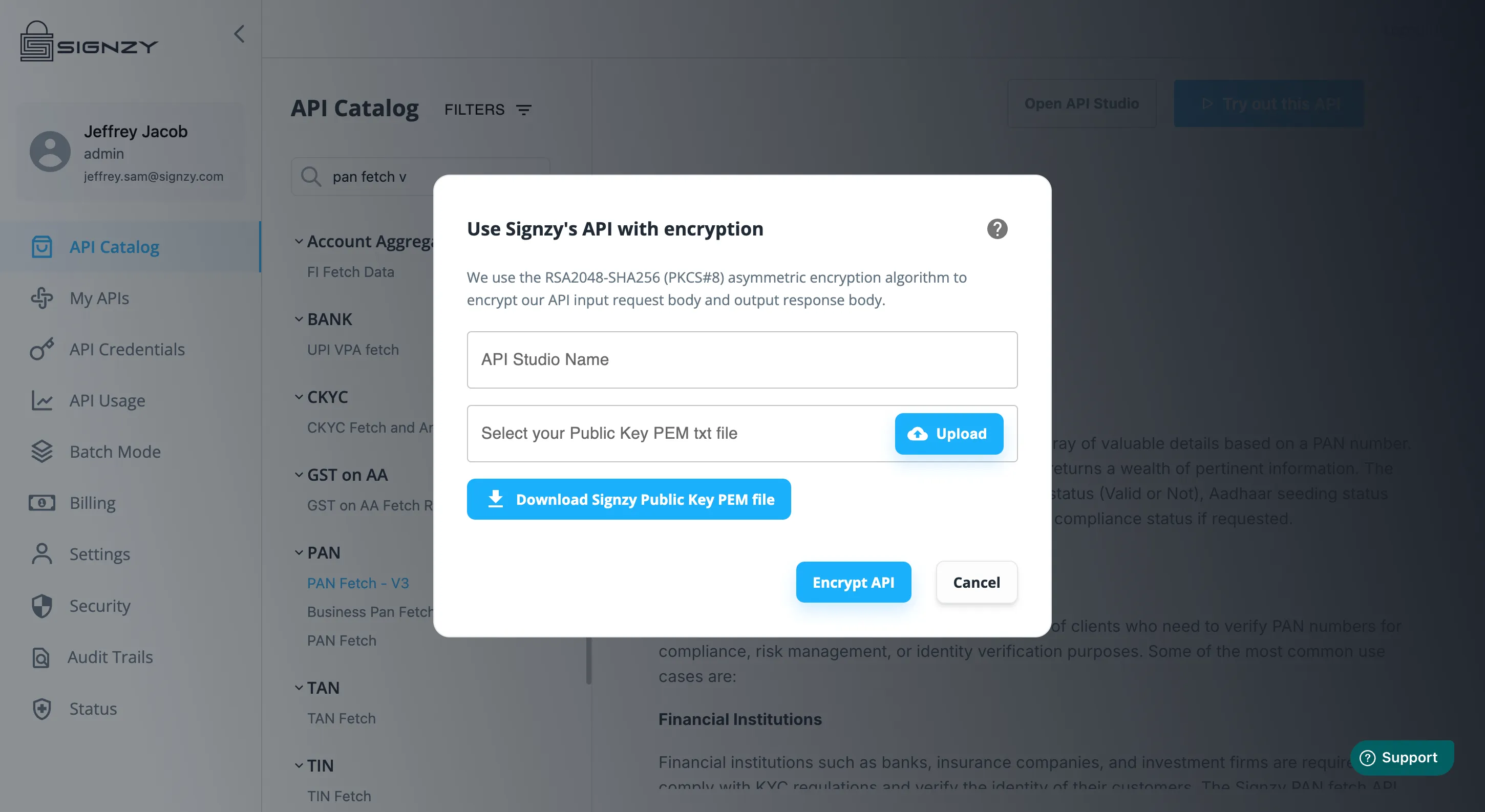
Ensure that the encryption key you upload is a valid PKCS#8 (RSA 2048, SHA-256) .pem file.
You can download this key from My APIs page in Signzy’s API portal.
Once you click on encrypt API, our systems will generate an encrypted version for the same API which accepts exactly the same input body and produces exactly the same output data but in an encrypted format.
The new input and output is wrapped in an object as shown below, the new API will accept the encrypted input as a string and produce the encrypted output as a string as well.
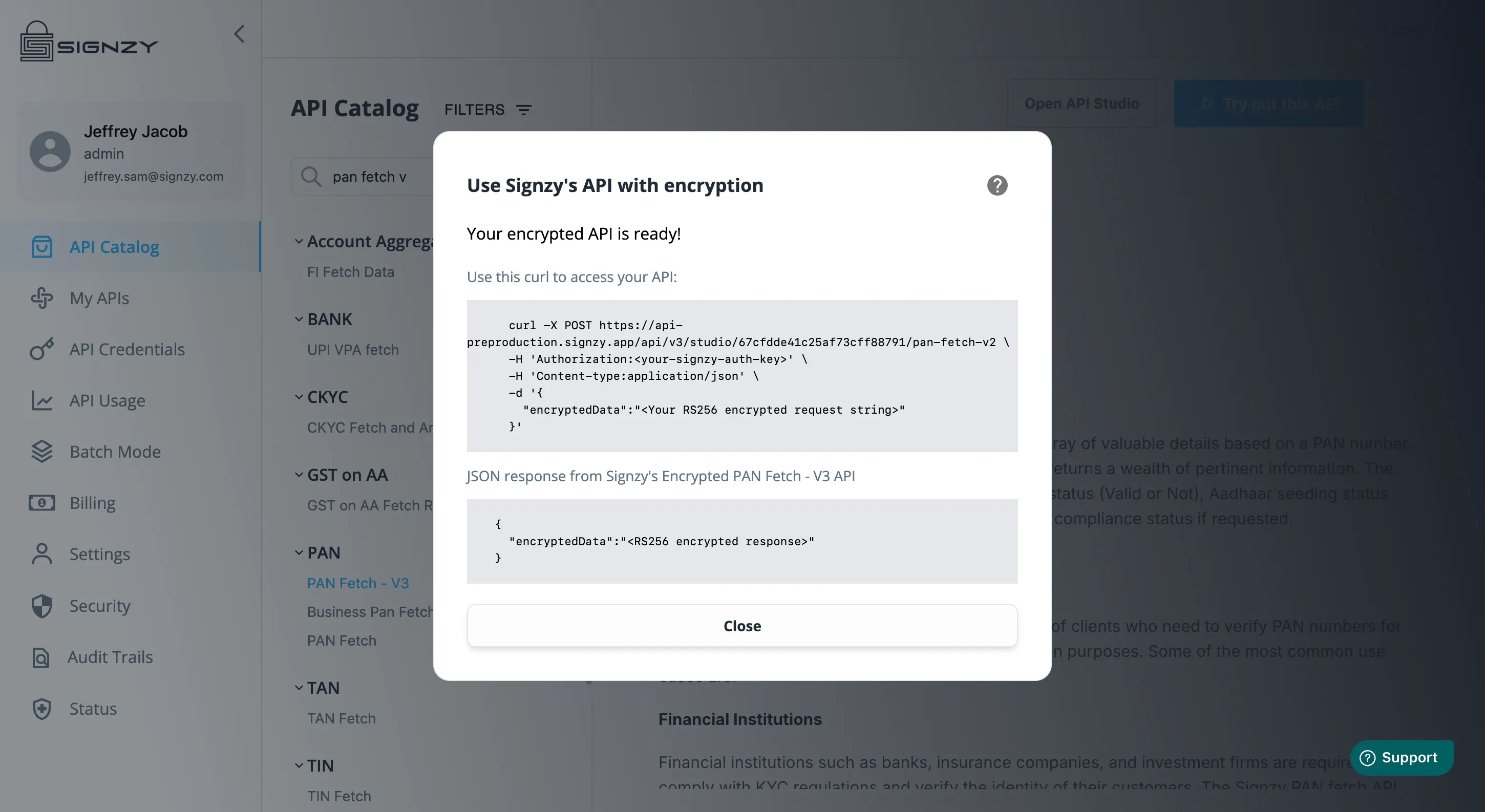
Sample Asymmetric Encrypted Curl
curl -X POST https://api-preproduction.signzy.app/api/v3/studio/<YOUR-STUDIO-ID>/<YOUR-API> \
      -H 'Authorization:<your-signzy-auth-key>' \
      -H 'Content-type:application/json' \
      -d '{ "encryptedData":"<Your RS256 encrypted request string using Signzy's Public Key>" }'
JSON Response
Response from from Signzy's Encrypted PAN Fetch - V3 API
  {
      "encryptedData":"<RS256 encrypted response using your Public Key>"
    }
Encryption Script
// Decryption using Nimbus JOSE + JWT library
// Add the following dependency in your Maven/Gradle project:
// Maven: <dependency> <groupId>com.nimbusds</groupId> <artifactId>nimbus-jose-jwt</artifactId> <version>9.31</version> </dependency>
// Gradle: implementation 'com.nimbusds:nimbus-jose-jwt:9.31'

package com.example;

import com.nimbusds.jose.*;
import com.nimbusds.jose.crypto.*;
import com.nimbusds.jose.jwk.*;

import java.security.KeyFactory;
import java.security.PublicKey;
import java.security.interfaces.RSAPublicKey;
import java.security.spec.X509EncodedKeySpec;
import java.util.Base64;

public class Main {

    public static String encrypt(String payload, String publicKeyPem) throws Exception {
        // Remove the "BEGIN" and "END" lines and decode the PEM public key
        String publicKeyPEM = publicKeyPem.replace("-----BEGIN PUBLIC KEY-----", "")
                .replace("-----END PUBLIC KEY-----", "")
                .replaceAll("\\s", "");

        byte[] decoded = Base64.getDecoder().decode(publicKeyPEM);
        X509EncodedKeySpec keySpec = new X509EncodedKeySpec(decoded);
        KeyFactory keyFactory = KeyFactory.getInstance("RSA");
        PublicKey publicKey = keyFactory.generatePublic(keySpec);

        // Create RSAKey instance from the public key
        RSAKey rsaKey = new RSAKey.Builder((RSAPublicKey) publicKey).build();

        // Create the JWE object
        JWEObject jweObject = new JWEObject(
                new JWEHeader.Builder(JWEAlgorithm.RSA_OAEP_256, EncryptionMethod.A256GCM).build(),
                new Payload(payload));

        // Encrypt the JWE using the RSAKey
        jweObject.encrypt(new RSAEncrypter(rsaKey));

        // Serialize to compact form
        return jweObject.serialize();
    }

    public static void main(String[] args) throws Exception {
        String publicKeyPem = "<SIGNZY'S-PUBLIC-KEY-IN-PEM-FORMAT>";
        String payload = "{\"input\":\"sample\"}";
        String encrypted = encrypt(payload, publicKeyPem);
        System.out.println("Encrypted: " + encrypted);
    }
}
Decryption script
// Decryption using Nimbus JOSE + JWT library
// Add the following dependency in your Maven/Gradle project:
// Maven: <dependency> <groupId>com.nimbusds</groupId> <artifactId>nimbus-jose-jwt</artifactId> <version>9.31</version> </dependency>
// Gradle: implementation 'com.nimbusds:nimbus-jose-jwt:9.31'

package com.example;

import com.nimbusds.jose.*;
import com.nimbusds.jose.crypto.*;

import java.security.KeyFactory;
import java.security.PrivateKey;
import java.security.spec.PKCS8EncodedKeySpec;
import java.util.Base64;

public class Main {

    public static String decrypt(String encryptedJWResponse, String privateKeyPem) throws Exception {
        // Remove the "BEGIN" and "END" lines and decode the PEM private key
        String privateKeyPEM = privateKeyPem.replace("-----BEGIN PRIVATE KEY-----", "")
                .replace("-----END PRIVATE KEY-----", "")
                .replaceAll("\\s", "");

        byte[] decoded = Base64.getDecoder().decode(privateKeyPEM);
        PKCS8EncodedKeySpec keySpec = new PKCS8EncodedKeySpec(decoded);
        KeyFactory keyFactory = KeyFactory.getInstance("RSA");
        PrivateKey privateKey = keyFactory.generatePrivate(keySpec);

        // Parse the JWE
        JWEObject jweObject = JWEObject.parse(encryptedJWResponse);
        RSADecrypter decrypter = new RSADecrypter(privateKey);
        jweObject.decrypt(decrypter);

        // Get the decrypted payload
        return jweObject.getPayload().toString();
    }

    public static void main(String[] args) throws Exception {
        String privateKeyPem = "<YOUR-PRIVATE-KEY-IN-PEM-FORMAT>";
        String decrypted = decrypt(
                "<YOUR-ENCRYPTED-RESPONSE-BODY>",
                privateKeyPem);
        System.out.println("Decrypted: " + decrypted);
    }
}