Getting Started
2 min
Empowering Identity Verification: With Signzy's Unassisted VKYC
Now that we know the essence of Unassisted VKYC, let's embark on configuring the Unassisted VKYC flow.
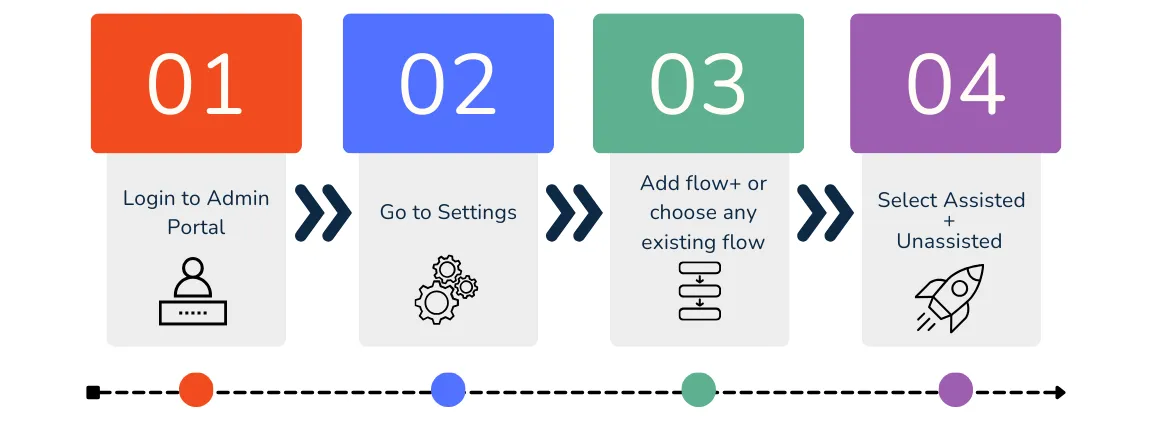
Steps to configure a flow
In the Admin portal, navigate to the left-hand menu to access the dedicated configurations named Assisted + Unassisted VKYC journey: 1. UVKYC Call Configuration 2. UVKYC Questionnaire Setup
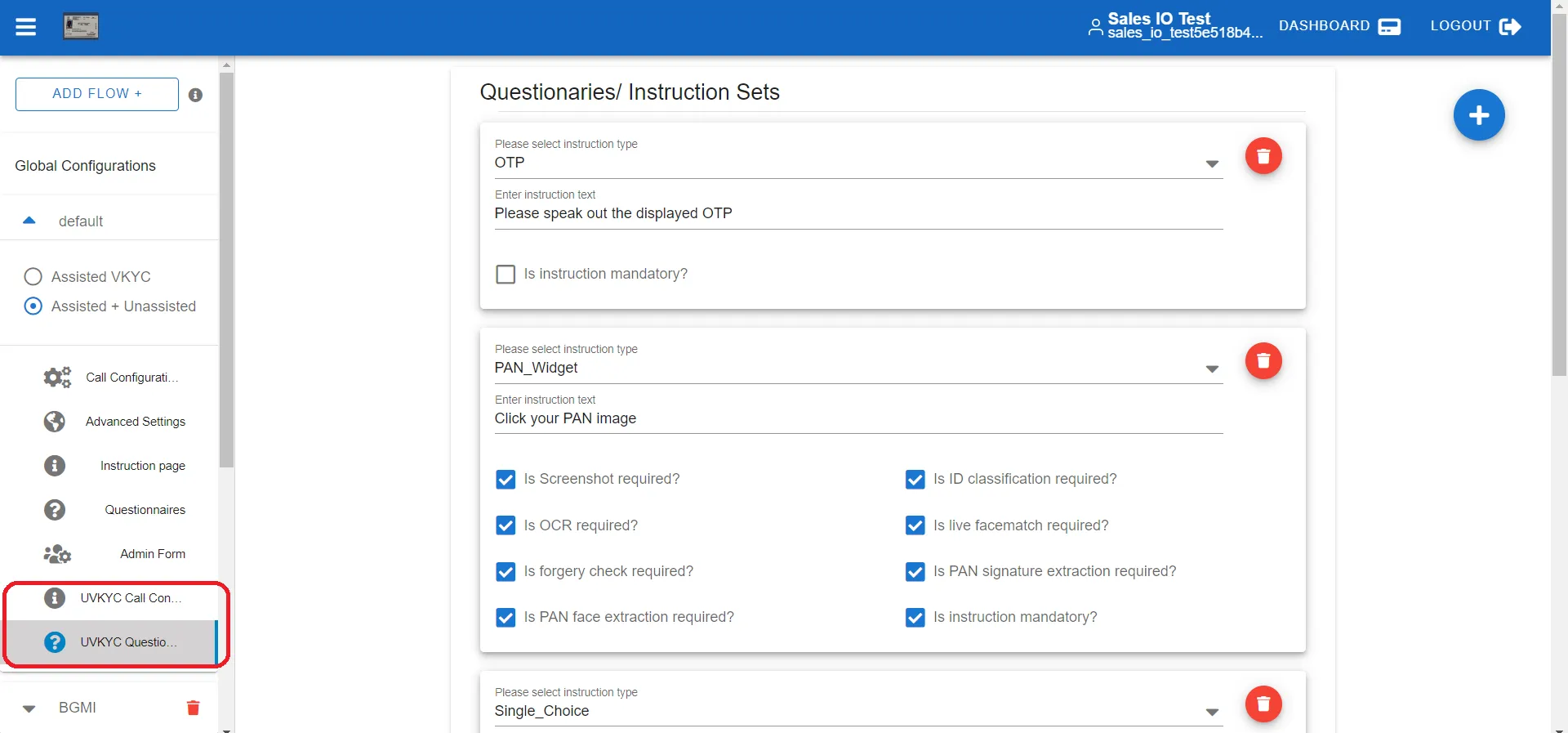
Unassisted VKYC Configurations
These two settings are specifically designed to streamline the Unassisted VKYC process.
Getting Help
If you have any questions, need clarification, or have suggestions to enhance our documentation or services, please don't hesitate to contact us.
Reach out to us at [email protected]