Assignment / Reassignment of Applications
4 min
Reassigning Single Application - From Settings
- Click on the circular arrow icon present on the right side of each user.
- All the applications assigned to that particular user will be displayed.
- Here, a particular application can be searched using the search bar by entering the application ID or name. The application can also be filtered by its status using the 'Filter' dropdown menu.
- After finding the application that has to be reassigned, click on the 'Reassign Application' button present on the right side of each application.
- Select the back office user to whom the application is to be assigned from the dropdown menu.
- Click on the 'Assign' button.

Reassigning Single Application
Reassigning Multiple Applications - From Settings
- Click on the circular arrow icon present on the right side of the user.
- All the applications assigned to that particular user will be displayed.
- Here, a particular application can be searched using the search bar by entering the application ID or name. The application can also be filtered by its status using the filter dropdown menu.
- Select all the applications that need to be reassigned by checking the checkbox present on the left side of the application.
- After selecting all the application that needs to be reassigned to a particular user, click on the 'Reassign Selected Applications' button present on the top right.
- Select the back office user to whom the application is to be assigned from the dropdown menu.
- Click on the 'Assign' button.

Reassigning Multiple Applications
Application Assignment/Reassignment - From Application Queue
- Click on the 'Assign/Reassign' button present on the left side of each application.
- Select the search category (e.g. Name, Employee Code etc.)
- Search the name of the person to whom the assignment/reassignment of the application has to be done.
- Click on 'OK'.

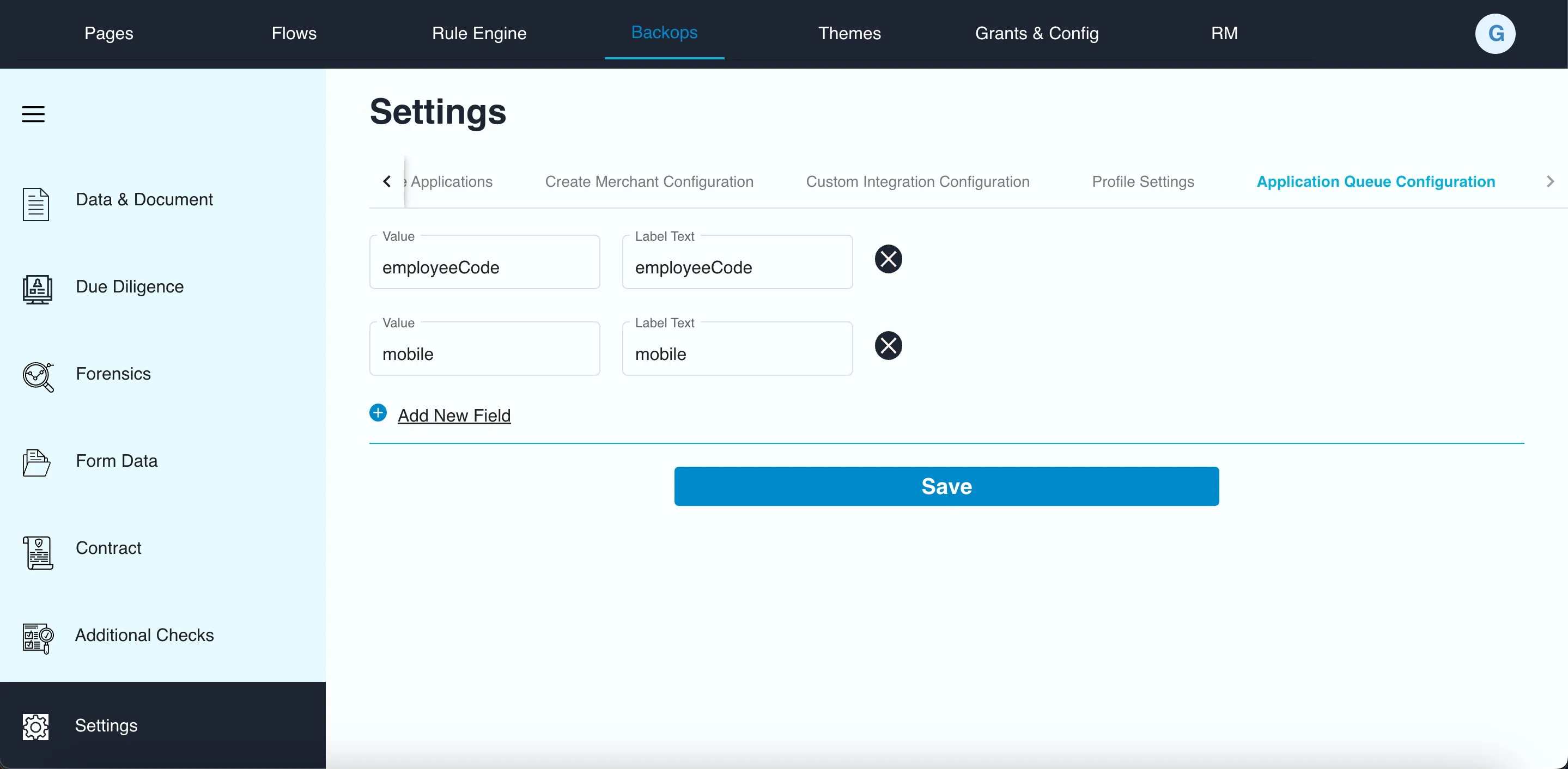
The contents of "search by" dropdown can be realm-wise configured from admin portal
In Backops tab, settings > Application Queue Configuration